
Virtual Marketing Assistant: Roles & Benefits

If you run a business and feel overwhelmed by social media posts, email campaigns, or keeping your website fresh, you’re not alone. A virtual marketing assistant (VMA) is a remote professional who supports businesses with a wide range of digital marketing tasks, such as social media management, content creation, email marketing, and ad campaign support. They help businesses amplify their online presence by handling day-to-day marketing chores, allowing business owners to focus on strategic growth. Whether you’re a small business owner juggling too many tasks or someone curious about getting marketing help without hiring a full-time employee, understanding what a virtual marketing assistant does can change how you grow your business. This guide breaks down everything you need to know in simple terms, from what they actually do each day to why hiring one might be the smartest move for your business. What Does a Virtual Marketing Assistant Do? A virtual marketing assistant takes care of the marketing work that keeps your business visible and growing online. They handle the repetitive but important tasks that eat up your time. These assistants work remotely, which means they can be anywhere in the world while helping your business. They use the internet, email, and various software tools to complete their work without needing an office desk next to you. Main Tasks They Handle Virtual marketing assistants cover a wide range of marketing activities. Here are the most common ones: Social Media Management They create posts, schedule content, respond to comments, and keep your Facebook, Instagram, or LinkedIn pages active and engaging. Email Marketing They write newsletters, manage your email list, send campaigns, and track who opens your emails and clicks your links. Content Creation They write blog posts, create graphics, edit videos, or produce other content that showcases your products or services. Website Updates They add new pages, update product information, fix broken links, and make sure your site looks current. Ad Campaign Management They set up and monitor paid advertisements on Google, Facebook, or other platforms to bring more customers to your business. Research They study your competitors, find trending topics in your industry, or identify potential customers. If you’re wondering how these tasks fit into a broader business strategy, digital marketing for small businesses can show you the bigger picture of online growth. How They Work With Your Business Virtual marketing assistants typically work on a schedule you agree on together. Some businesses need help for just 10 hours a week, while others need someone working 40 hours a week. They communicate through email, video calls, messaging apps, or project management tools. You share your goals and preferences, and they execute the work while keeping you updated on progress. Most assistants have their own computer and internet connection. You just provide access to the accounts and tools they need, like your social media profiles or email marketing software. Types of Virtual Marketing Assistants Not all virtual marketing assistants are the same. Some focus on specific areas while others handle multiple tasks. Understanding the different types helps you find the right match for your needs. General Assistant Generalist assistants handle a variety of marketing tasks. They’re great if you need help across multiple areas without requiring deep expertise in one specific field. For example, they might manage your social media, write basic blog posts, and update your website all in one week. Specialist Assistant Specialist assistants focus on one or two specific marketing areas where they have advanced skills. A social media specialist might only handle Instagram and Facebook, but does it at an expert level, creating highly engaging content and growing your followers quickly. Common Specializations Here’s a breakdown of different specialist types: Specialization What They Focus On Best For Social Media Manager Creating posts, growing followers, and engagement Businesses wanting a strong social presence Email Marketing Expert Building lists, writing campaigns, and automation Companies selling products or services online Content Writer Blog posts, articles, website copy Businesses needing regular written content SEO Specialist Search engine optimization, keywords, rankings Companies wanting to appear in Google searches Paid Ads Manager Running Facebook, Google, or Instagram ads Businesses ready to invest in advertising The type you choose depends on your biggest marketing challenge. If you’re unsure where to start, exploring different virtual assistant jobs can help you understand which skills matter most for your business. Benefits of Hiring a Virtual Marketing Assistant Bringing a virtual marketing assistant into your business offers advantages that go beyond just getting tasks done. These benefits directly impact your time, money, and business growth. Save Time and Focus on Core Business When someone else handles your marketing tasks, you free up hours every week. Instead of spending your afternoon writing social media posts or tweaking your website, you can meet with clients, improve your products, or plan your business strategy. Many business owners report saving 10-20 hours per week after hiring a virtual assistant. That’s like getting an extra two or three workdays back each month. Cost-Effective Compared to Full-Time Employees Hiring a full-time marketing employee means paying salary, benefits, office space, equipment, and taxes. A virtual marketing assistant costs significantly less because you only pay for the hours you need. You also skip the recruitment costs, training expenses, and long-term commitments that come with traditional employment. If your business slows down, you can easily adjust the hours without complicated HR processes. Access to Specialized Skills Virtual marketing assistants often have experience working with many different businesses and industries. This means they bring fresh ideas and proven strategies that you might not discover on your own. They stay updated on the latest marketing trends, tools, and techniques because it’s their full-time focus. You get access to this expertise without spending years learning it yourself. Flexible and Scalable Support As your business grows or faces busy seasons, you can increase the hours or tasks your assistant handles. During slower periods, you can scale back without any awkward conversations or severance packages. This flexibility helps small businesses compete
Social Media VA: What to Know Before Hiring

A virtual assistant for social media management handles your business’s social media remotely, creating posts, engaging followers, and growing your presence. They manage everything from content planning to comment responses, letting you focus on running your business. Running a business is tough, and social media can feel like a full-time job. Between posts, comments, and figuring out what your audience wants, it’s overwhelming. That’s where a virtual assistant for social media management helps, taking the load off your shoulders. This guide covers everything about hiring a social media virtual assistant, from what they do to whether it’s right for your business. Keep reading to discover how they can transform your online strategy and free up your time. What Is a Virtual Assistant for Social Media Management? A virtual assistant for social media management is someone who works remotely to handle all aspects of your business’s social media presence. They’re not just posting random updates, they’re creating a strategy, designing content, and making sure your brand stays visible and engaging across platforms like Facebook, Instagram, Twitter, and LinkedIn. Think of them as your social media expert who works behind the scenes. They know what type of content gets attention, when to post it, and how to interact with your followers in a way that builds trust and grows your audience. What Does a Social Media Virtual Assistant Actually Do? A social media virtual assistant wears many hats. Their main job is to keep your social media accounts active and growing, but the specific tasks can vary based on what your business needs. Content Creation They design eye-catching graphics, write engaging captions, and sometimes even create short videos. Everything they post is tailored to your brand’s voice and goals. Scheduling Posts Instead of posting randomly, they plan out their content in advance using scheduling tools. This keeps your accounts consistent and ensures you’re posting at times when your audience is most active. Community Management They respond to comments, answer direct messages, and engage with followers. This builds relationships and shows your audience that you care about them. Analytics and Reporting They track how your posts are performing, things like likes, shares, comments, and clicks. This data helps them adjust the strategy to get better results over time. Trend Monitoring Social media changes fast. A good virtual assistant stays on top of trends and adjusts your content to match what’s working right now. Why Businesses Hire Virtual Assistants for Social Media Business owners hire virtual assistants for social media because managing these platforms takes time and skill. When you’re running a business, you need to focus on serving customers, managing operations, and growing revenue. Social media can easily take hours every day, and if you’re not experienced, you might not get the results you’re hoping for. A virtual assistant brings expertise without the cost of hiring a full-time employee. They already know the best practices, tools, and strategies that work. Plus, they work remotely, which means no office space, no equipment costs, and no long-term commitments. Many businesses also appreciate the flexibility. You can hire a virtual assistant for just a few hours a week or for full-time support, depending on your needs and budget. This makes it a practical solution for small businesses and startups that want professional help without breaking the bank. How Virtual Assistants Help Your Social Media Grow A virtual assistant doesn’t just keep your social media running, they actively work to make it better. Their goal is to increase your reach, build your audience, and turn followers into customers. Creating a Consistent Posting Schedule One of the biggest challenges for business owners is staying consistent. You might post a few times one week and then go silent for the next two weeks because you’re busy. That inconsistency can hurt your visibility and make your audience lose interest. A virtual assistant for social media management creates a content calendar and sticks to it. They plan posts weeks, so your accounts stay active even when you’re swamped with other tasks. Consistency builds trust and keeps your brand top of mind for your audience. Engaging With Your Audience Posting content is only half the battle. Real growth happens when you interact with your audience. A social media virtual assistant monitors comments, replies to questions, and starts conversations with your followers. This engagement shows that your business is approachable and customer-focused. It also helps build a community around your brand, which can lead to loyal customers who recommend you to others. Analyzing What Works and What Doesn’t Not every post will be a hit, and that’s okay. The key is learning from what works and adjusting your strategy. A virtual assistant tracks your social media performance and uses that data to improve future content. For example, if videos get more engagement than photos, they’ll create more video content. If posts at a certain time of day perform better, they’ll adjust the schedule. This data-driven approach ensures you’re not wasting time on content that doesn’t deliver results. What to Look For When Hiring a Virtual Assistant for Social Media Not all virtual assistants are the same, so it’s important to know what to look for when you’re hiring. The right person will have the skills, experience, and work style that fit your business needs. Skills and Experience That Matter When hiring a virtual assistant for social media management, focus on their practical skills. Do they know how to use tools like Canva for graphics, Hootsuite for scheduling, or Google Analytics for tracking performance? Can they write engaging captions that match your brand’s voice? Experience with your specific platforms is also important. Someone who’s great at Instagram might not be as strong with LinkedIn, and vice versa. Make sure they’re comfortable with the platforms your business uses most. Don’t forget about communication skills. Your virtual assistant needs to write clearly, respond professionally, and represent your brand well in every interaction. Questions to Ask Before Hiring Before you hire someone, ask these key questions:
Virtual Assistant Jobs: Complete VA Career Guide

Virtual assistant jobs are remote work positions where professionals provide administrative, technical, or creative assistance to clients from a home office or any location with internet access. These positions allow workers to support businesses without being physically present in a traditional office setting. The rise of virtual assistant jobs reflects a broader shift toward remote work and the gig economy. Businesses increasingly hire VAs to reduce overhead costs while accessing skilled professionals who can handle everything from managing emails to coordinating social media campaigns. Understanding what virtual assistant jobs entail can help you determine if this career path aligns with your skills and lifestyle goals. Keep reading to learn exactly what these positions involve and how they work. What Are Virtual Assistant Jobs? Virtual assistant jobs are employment arrangements where individuals perform support tasks for clients remotely using internet-connected devices. Unlike traditional assistants who work on-site, virtual assistants operate from their own locations and communicate with clients through email, phone, video conferencing, and project management software. The term “virtual assistant” encompasses a broad range of professional services. At the core, these jobs involve helping businesses and entrepreneurs handle tasks they either don’t have time for or lack the expertise to complete efficiently. The virtual aspect simply refers to the remote nature of the work arrangement rather than any specific type of task. Virtual Assistant Qualifications Virtual assistant jobs typically operate on a contract or freelance basis rather than traditional employment. Most VAs work as independent contractors, meaning they’re responsible for their own taxes, insurance, and business expenses. This arrangement gives both parties flexibility, clients can hire help as needed without committing to full-time salaries and benefits, while VAs can work with multiple clients simultaneously. The work structure varies considerably. Some VAs maintain ongoing relationships with clients through monthly retainers, where they provide a set number of hours each month. Others take on project-based work with defined start and end dates. Hourly arrangements are also common, particularly when starting or handling unpredictable workloads. Technology forms the backbone of all virtual assistant work. VAs rely on digital tools for communication (such as Zoom and Slack), project management (Trello and Asana), file sharing (Google Drive and Dropbox), and specialized software relevant to their services. Comfort with learning new platforms is essential since each client may use different systems. Common Virtual Assistant Specializations Virtual assistant jobs fall into several distinct categories based on the services provided: Admin Task Administrative VAs handle traditional office tasks, including email management, scheduling appointments, travel arrangements, data entry, and document preparation. These generalists keep business operations running smoothly and often serve as the first point of contact for clients’ customers or partners. For businesses needing structured scheduling support, calendar management represents a critical service that keeps executives and teams coordinated. Content Creation Creative VAs focus on content creation and design work. This includes writing blog posts and newsletters, managing websites, creating graphics, editing videos, and developing marketing materials. These positions suit individuals with writing abilities, design skills, or multimedia expertise. Technical Support Technical VAs provide specialized support requiring specific knowledge. Examples include bookkeeping, website maintenance, database management, and CRM system administration. These roles typically command higher rates due to the specialized skills required. Digital Marketing Marketing VAs manage social media accounts, create and schedule posts, respond to comments, run email campaigns, conduct market research, and track analytics. As businesses increasingly rely on digital presence, marketing VAs help companies maintain consistent online engagement without hiring full-time marketing staff. Companies looking to expand their reach often invest in digital marketing for small business, which VAs can help implement effectively. Skill Category Specific Skills Why It Matters Marketing & Content SEO writing, email marketing, content creation, graphic design Helps businesses attract customers and grow their online presence Technical Skills WordPress management, basic coding, database management, CRM systems Allows you to handle more complex projects that pay better Financial Services Bookkeeping, invoicing, expense tracking, basic accounting Many small businesses desperately need help with finances Project Management Planning, coordination, resource allocation, deadline tracking Keeps teams and projects moving forward efficiently How VA Jobs Differ From Traditional Employment VA (Virtual Assistant) jobs stand apart from traditional employment mainly in terms of location, flexibility, and work structure. Virtual assistants work remotely, often setting their own schedules and operating as independent contractors who manage their own benefits and taxes. In contrast, traditional employees typically work on-site, follow fixed hours, and receive benefits and overhead support from their employer. Skills Required for Virtual Assistant Jobs Virtual assistant jobs don’t require formal degrees, but success depends on possessing certain core competencies and developing specialized abilities that increase your value to clients. Essential Core Competencies for Virtual Assistants 1. Communication Skills Strong communication is one of the most important virtual assistant skills. Since most work happens online, you need to write clearly, listen carefully, and speak politely during meetings to avoid confusion and build trust with clients. 2. Organization and Time Management Good time management helps virtual assistants handle several clients at once. Setting priorities, tracking tasks, and meeting deadlines make sure every project runs smoothly and on time. 3. Technical Literacy A tech-savvy virtual assistant can easily learn new tools and software. You don’t need to be a computer expert, just confident enough to solve small problems and keep work moving efficiently. 4. Problem-Solving and Initiative Clients value VAs who take action. Instead of waiting for directions, great virtual assistants find answers, suggest solutions, and make smart decisions to keep projects on track. 5. Reliability and Professionalism Professionalism builds long-term relationships in the virtual assistant industry. Always deliver on promises, protect client information, and communicate respectfully to earn trust and repeat work. Specialized Skills That Command Higher Rates While general administrative abilities provide an entry point, developing specialized expertise significantly increases earning potential: Factor Lower Rates Higher Rates Experience Level Just starting, no client reviews Years of experience, strong portfolio Skill Specialization General admin tasks Specialized skills like bookkeeping or marketing Client Type Small startups, individual entrepreneurs Established
Calendar Management Guide: Organize Your Time Easily
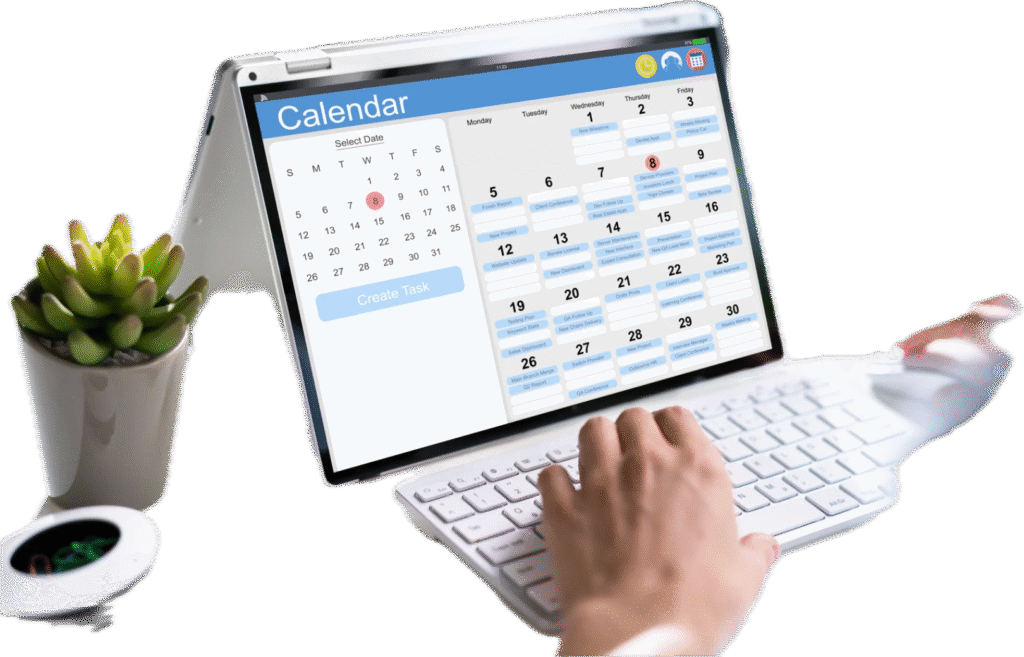
Calendar management is the process of organizing your schedule, appointments, meetings, and tasks in a structured way to make the most of your time. It helps you stay on top of deadlines, avoid scheduling conflicts, and ensure you’re focusing on what matters most each day. Think of it like keeping a well-organized notebook where you write down everything you need to do, when you need to do it, and who you need to meet. The difference is that modern calendar management uses digital tools and smart strategies to make this process faster, easier, and more reliable. Whether you’re a student juggling classes and homework, a business owner managing meetings and deadlines, or someone trying to balance work and personal life, understanding what calendar management is can transform how you use your time. Let’s explore how it works and why it matters. What Is Calendar Management and Why Does It Matter? Calendar management is more than just writing dates on a planner. It’s a complete system for organizing your time so you can accomplish more without feeling overwhelmed or missing important commitments. At its core, calendar management involves scheduling appointments, setting reminders for tasks, blocking time for focused work, and coordinating with others when you need to meet or collaborate. It helps you see your entire week or month at a glance, making it easier to plan and adjust when things change. The Basic Purpose of Managing Your Calendar The main goal of calendar management is to help you control your time instead of letting your time control you. When you manage your calendar well, you know exactly what you need to do each day, when you have free time, and when you’re already committed to something else. Good calendar management prevents double-booking, where you accidentally schedule two things at the same time. It also helps you prepare for upcoming events by giving you advance notice of what’s coming up. You can set aside time for important projects before they become urgent, reducing last-minute stress. For businesses and teams, calendar management becomes even more important. It helps coordinate group meetings, ensures everyone knows their responsibilities, and keeps projects moving forward on schedule. How Calendar Management Saves Time and Reduces Stress When you practice effective calendar management, you spend less time figuring out what to do next and more time actually doing it. You don’t have to keep everything in your head or scramble to remember appointments. Digital calendars send automatic reminders, so you never forget a meeting or deadline. You can color-code different types of activities, making it easy to see at a glance how your day is balanced between work, personal time, and other commitments. Calendar management also helps you say “no” more confidently. When someone asks for your time, you can quickly check your calendar and give an honest answer about your availability instead of overcommitting yourself. Understanding the Different Types of Calendar Management Not everyone manages their calendar the same way. Different situations call for different approaches, and understanding these types helps you choose what works best for your needs. Personal Calendar Management Personal calendar management focuses on organizing your individual schedule. This includes tracking your work hours, personal appointments like doctor visits, social plans with friends and family, and time for hobbies or exercise. With personal calendar management, you’re in complete control. You decide what gets scheduled, when it happens, and how much time to allocate. Many people use smartphone calendar apps that sync across all their devices, so they can check or update their schedule anywhere. The key to successful personal calendar management is consistency. When you get into the habit of immediately adding events to your calendar, you create a reliable system you can trust. Professional and Business Calendar Management Professional calendar management often involves coordinating with coworkers, clients, or team members. In business settings, calendar management might include scheduling meetings, blocking time for focused work on projects, coordinating conference calls across different time zones, and managing deadlines. Many businesses use shared calendars where team members can see each other’s availability without needing to ask. This makes scheduling meetings much faster and reduces back-and-forth emails about finding a time that works for everyone. Some professionals hire assistants or use virtual assistant services to handle calendar management for them. This frees up their time to focus on higher-priority tasks while ensuring their schedule stays organized. Team and Group Calendar Management Team calendar management coordinates schedules for multiple people working together. This type of calendar management shows when meetings are scheduled, who’s attending what, and when team members are available or out of office. Sports teams, project groups, and departments all benefit from shared calendar systems. Everyone can see important dates, deadlines, and events in one place. This reduces confusion and helps teams work more efficiently together. Color-coding becomes especially useful in team calendars, with different colors representing different projects, departments, or types of activities. Key Components of Effective Calendar Management Successful calendar management relies on several important elements working together. Understanding these components helps you build a system that actually works for your life. Component What It Does Why It Matters Scheduling Assigns specific times to tasks and appointments Prevents overlapping commitments and ensures time for everything important Time blocking Reserves chunks of time for specific types of work Improves focus and productivity by dedicating uninterrupted time to priorities Reminders and alerts Sends notifications before events or deadlines Prevents forgotten appointments and gives time to prepare Recurring events Automatically schedules regular activities Saves time by not having to manually enter repeated meetings or tasks Buffer time Builds in extra time between activities Reduces stress and accounts for unexpected delays or preparation needs Scheduling and Appointment Setting The foundation of calendar management is scheduling, which means deciding when things will happen and recording that information. This includes setting specific start and end times for meetings, appointments, and tasks. Good scheduling considers not just when something needs to happen, but also how long it will realistically take.
Small Business Digital Marketing Guide for Growth

Digital marketing for small businesses doesn’t have to be complicated or expensive. With the right strategies and tools, even businesses with limited budgets can compete online, reach their ideal customers, and grow their revenue effectively. Whether you’re just starting or looking to improve your current efforts, this guide breaks down everything you need to know about digital marketing for small business success. From choosing the right channels to measuring your results, we’ll help you build a strategy that actually works for your goals and budget. What is Digital Marketing for Small Businesses? Digital marketing for small businesses refers to all online marketing activities that help you connect with potential customers where they spend their time: on the internet. Unlike traditional marketing methods like print ads or billboards, digital marketing lets you target specific audiences, track your results in real time, and adjust your approach based on what’s working. Why Small Businesses Need Digital Marketing The digital landscape has changed how customers discover and choose businesses. If you’re not showing up online, you’re missing opportunities every single day. Here’s what makes digital marketing essential for small businesses: Cost-Effective Reach: You can start with a minimal budget and scale up as you see results. Unlike traditional advertising that requires large upfront costs, digital channels let you test and optimize without breaking the bank. Targeted Advertising: Reach people who are actually interested in what you offer. You can target by location, interests, behavior, and demographics, making every dollar count. Measurable Results: See exactly what’s working through analytics and data. You’ll know how many people saw your ad, clicked your link, or made a purchase. Level Playing Field: Small businesses can compete with larger companies by being creative, authentic, and responsive. Your personality and customer service can be your biggest advantages. Core Components of Small Business Digital Marketing Digital marketing includes several key areas that work together to build your online presence: Essential Digital Marketing Strategies That Work Not every digital marketing tactic makes sense for every small business. Your strategy should match your goals, budget, and where your customers actually spend their time online. Building Your Digital Foundation Before diving into specific tactics, you need a solid foundation. Your website acts as your home base, everything else points back to it. Make sure your site loads quickly, works well on mobile devices, and clearly explains what you do and how to contact you. Include customer testimonials, clear calls to action, and easy navigation. Search engine optimization (SEO) helps people find your website when they search for products or services like yours. Focus on local SEO if you serve a specific area by claiming your Google Business Profile and getting listed in local directories. Social Media Marketing for Small Businesses Social media gives you direct access to your customers without paying for ads (though paid promotion can boost your reach). The key is choosing the right platforms rather than trying to be everywhere at once. Platform Selection Guide: Platform Best For Content Type Time Investment Facebook Local businesses, broad audiences Posts, videos, events, groups Moderate Instagram Visual businesses, younger audiences Photos, stories, reels High LinkedIn B2B services, professional services Articles, updates, networking Moderate TikTok Creative brands, Gen Z audiences Short videos, trends High Pick one or two platforms where your ideal customers spend time and do them well rather than spreading yourself too thin. Post consistently, engage with comments, and share content that provides value, not just sales pitches. Email Marketing That Converts Email remains one of the highest-ROI digital marketing channels for small businesses. Build your email list by offering something valuable in exchange for an email address: a discount code, free guide, or exclusive content. Send emails regularly but not too frequently. Weekly or bi-weekly works for most small businesses. Share useful tips, announce new products or services, and include special offers for your subscribers. Segment your list based on customer behavior or interests so you can send more relevant messages. Someone who bought from you needs different emails than someone who just signed up for your newsletter. Content Marketing Basics Content marketing means creating helpful, interesting information that attracts potential customers to your business. This could be blog posts, videos, podcasts, infographics, or guides. The goal isn’t to directly sell but to establish yourself as helpful and knowledgeable in your field. When someone needs what you offer, they’ll remember you helped them. Write about topics your customers actually care about. Answer their questions, solve their problems, and share your expertise. Use simple language and focus on being helpful rather than impressive. Tools and Resources for Small Business Marketing You don’t need expensive software or a big team to handle digital marketing effectively. Several affordable (or free) tools can help you manage your marketing efforts. Must-Have Marketing Tools Website and Analytics: Social Media Management: Email Marketing: Project Management: Virtual assistant services can help you stay organized and implement your marketing strategy consistently without hiring full-time staff. When to Get Help With Digital Marketing for Small Business Many small business owners try to do everything themselves at first. That’s natural, but it can lead to burnout or inconsistent marketing efforts. Consider getting help when: Working with virtual assistants or digital marketing specialists lets you focus on what you do best while ensuring your marketing happens consistently and effectively. Measuring Your Digital Marketing Success Tracking the right metrics helps you understand what’s working and where to focus your efforts. You don’t need to measure everything, just the numbers that matter for your goals. Key Metrics to Monitor Website Performance: Metric What It Tells You Target Traffic How many people visit your site Steady growth month over month Bounce Rate If people leave quickly Under 60% Conversion Rate Visitors who take action 2-5% for most industries Page Load Speed How fast your site loads Under 3 seconds Social Media Metrics: Track engagement rate (likes, comments, shares) rather than just follower count. A smaller, engaged audience is more valuable than a large inactive one. Email