
VA Onboarding Process: Complete Guide for Agency Owners and Startups
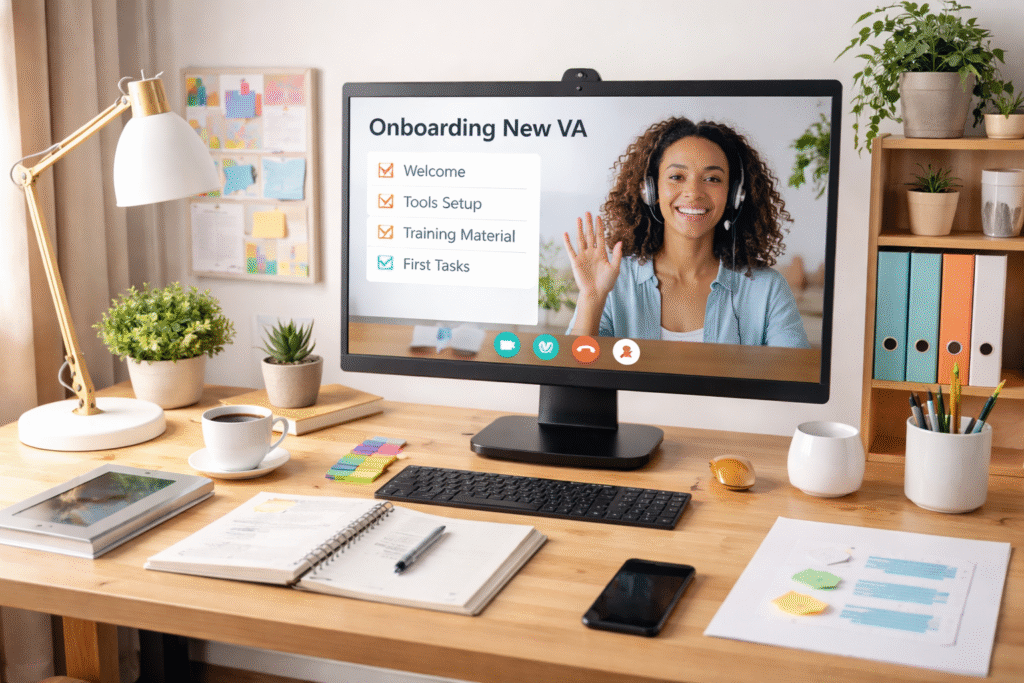
VA Onboarding Process: Complete Guide for Agency Owners and Startups The va onboarding process is a structured system for integrating a new virtual assistant into your business, covering everything from initial setup to ongoing training. A well-planned onboarding approach typically takes 1-2 weeks and dramatically improves productivity, reduces miscommunication, and helps your VA deliver results faster. Whether you’re hiring your first virtual assistant or building a remote team, getting onboarding right makes all the difference. A smooth transition sets clear expectations, builds confidence, and creates a foundation for long-term success. In this guide, we’ll walk you through every stage of onboarding a VA, from preparation to the first 90 days. You’ll learn practical steps, common pitfalls to avoid, and how to create a process that works for both you and your new team member. Quick Takeaways 💡: Structured Process: 1-2 week onboarding reduces confusion and accelerates productivity Clear Documentation: SOPs, training materials, and process guides prevent repetitive explanations Regular Check-Ins: Daily contact in week 1-2, then gradually reduce as independence grows Measurable Success: Track time to completion, error rates, and confidence levels throughout onboarding Ready to build your remote team? Explore our virtual assistant services for businesses and entrepreneurs and find the right support for your growth. What Is the VA Onboarding Process The va onboarding process is the complete journey of bringing a virtual assistant into your organization. It includes everything from sending login credentials to establishing communication protocols and defining success metrics. Unlike traditional employee onboarding, VA onboarding happens entirely remotely. This means you need clear documentation, reliable communication tools, and structured check-ins to make sure nothing gets missed.
Virtual Assistant vs Full-Time Employee

A virtual assistant offers remote, flexible support without the overhead costs of salaries, benefits, and office space, while a full-time employee provides in-house presence with fixed costs averaging $50,000-$70,000 annually plus benefits. For growing businesses and entrepreneurs, virtual assistants deliver specialized skills on-demand at a fraction of traditional employment costs, making them ideal for scaling operations without long-term commitments. Choosing between these two options impacts your budget, workflow, and growth potential. Understanding the core differences helps you build a lean, efficient team that supports your business goals without draining resources. Quick Takeaways 💡: Virtual Assistants: Cost 60-70% less than full-time employees with no benefits or office overhead required. Flexibility: Scale support up or down monthly without HR complications or long-term commitments. Specialized Skills: Access experts for specific tasks without hiring multiple full-time positions. Fast Deployment: Start working with qualified VAs within days, not weeks or months. What Is a Virtual Assistant? A virtual assistant is a remote professional who provides administrative, technical, or creative support to businesses and entrepreneurs from a remote location. Virtual assistants work as independent contractors, offering services on-demand without requiring traditional employment arrangements. The virtual assistant model operates through flexible engagement. You hire support for specific tasks, projects, or time periods without the commitment of full-time employment. Virtual assistants can handle diverse responsibilities across your business: Administrative Tasks: Email management, calendar scheduling, data entry Customer Service: Client communication, support tickets, inquiry responses Marketing Support: Social media management, content coordination, email campaigns Financial Tasks: Bookkeeping, invoice processing, expense tracking You simply define your needs, communicate requirements clearly, and receive professional support without managing payroll, benefits, or office logistics. 📌Also Read: Tasks You Should Delegate to a Virtual Assistant Today Cost Comparison: Virtual Assistant vs Full-Time Employee The financial difference between hiring a virtual assistant and a full-time employee is substantial. Understanding the complete cost structure helps you make informed decisions about your staffing strategy. The True Cost of Full-Time Employment Full-time employees carry hidden costs that extend far beyond their base salary. Here’s what many business owners overlook: Base Salary: $50,000-$70,000 annually for administrative and support roles Benefits Package: Healthcare, retirement, paid time off adds 30-40% to base costs Payroll Taxes: FICA, unemployment, workers’ compensation insurance Office Overhead: Desk space, equipment, supplies cost $10,000+ per employee annually Training & Onboarding: 2-3 months of reduced productivity during ramp-up period HR Administration: Compliance, documentation, performance management time Virtual Assistant Cost Structure Virtual assistants eliminate most traditional employment expenses: No Benefits Required: VAs work as independent contractors, eliminating healthcare, retirement contributions, and paid time off expenses Zero Office Overhead: Skip the desk space, equipment, and supplies that burden in-house teams Pay for Productivity Only: Bill for actual work hours or project completion, not idle time or non-productive periods Scalable Investment: Adjust support levels monthly based on business needs without severance costs or hiring cycles No Payroll Taxes: Eliminate FICA, unemployment insurance, and workers’ compensation costs Real-World Example: A full-time administrative employee at $50,000 salary actually costs your business approximately $75,000 annually when you factor in benefits (30%), payroll taxes (10%), and office overhead ($10,000). A virtual assistant providing equivalent support at 40 hours per week costs $31,200-$41,600 annually ($15-$20/hour) — a savings of $33,400-$43,800 per year. Explore our service pricing and packages at VA4Growth to see how virtual assistant support fits your budget. Comparison: Which Support Model Do You Need? Understanding the differences helps you choose the right staffing strategy for your business stage and needs. Feature Virtual Assistant Full-Time Employee Annual Cost $15,000-$40,000 $70,000-$100,000+ (including benefits) Flexibility Scale hours monthly, pause anytime Fixed salary regardless of workload Deployment Time Days to start working Weeks to months (hiring + onboarding) Specialized Skills Access multiple skill sets on-demand Limited to hired role capabilities Commitment Monthly agreements, no long-term lock-in Employment contracts, severance costs Best Use Case Administrative tasks, project support, specialized services Leadership roles, culture building, daily collaboration Flexibility and Availability Advantages Virtual assistants provide adaptability that traditional employment structures simply cannot match. This flexibility becomes increasingly valuable as your business grows and market conditions change. On-Demand Scaling Virtual assistants let you increase or decrease hours based on seasonal demands, project cycles, or business growth without HR complications. Need extra support during a product launch? Scale up instantly. Experiencing a slow quarter? Reduce hours without guilt or legal concerns. Specialized Skill Access Tap into experts for specific tasks like social media management, bookkeeping, or customer service without hiring multiple full-time positions. Each virtual assistant brings proven expertise in their specialty area, eliminating the training curve. Time Zone Coverage Access support across different time zones for extended business hours or global client service. While you sleep, your virtual assistant can handle customer inquiries, process orders, or manage international communications. Project-Based Engagement Bring in targeted help for launches, campaigns, or overflow periods without permanent commitments. When the project ends, so does the expense — no awkward conversations or severance packages required. Need guidance on timing your hire? Check out when to hire a virtual assistant for practical decision frameworks. Achieve Business Growth with Strategic Support The virtual assistant vs full-time employee decision shapes your operational efficiency and growth trajectory. VA4Growth specializes in matching businesses with skilled remote professionals who deliver measurable results without traditional employment burdens. Why Virtual Assistant Partnerships Drive Results Rapid Deployment: Start working with qualified virtual assistants within days, not the weeks or months required for traditional hiring processes Proven Systems: Our virtual assistants use established workflows and tools, eliminating the training period that new employees require Performance Focus: Task-based accountability ensures your virtual assistant delivers measurable outcomes rather than just filling seat time Risk Mitigation: Test virtual assistant relationships with monthly agreements instead of locking into annual salaries and employment contracts Administrative Relief: Skip payroll taxes, workers’ compensation insurance, and HR management that comes with full-time employees Unlike traditional staffing that demands long-term commitments and fixed overhead, virtual assistant partnerships through VA4Growth provide immediate value with complete flexibility. Discover our VA4Growth service offerings designed for businesses at every
Tasks You Should Delegate to a Virtual Assistant Today

Virtual assistants handle time-consuming tasks so you can focus on strategic growth and revenue-generating activities. From administrative work to customer support, delegating the right tasks frees up 15-20 hours per week for most business owners and entrepreneurs. Reclaim your time and scale your business by exploring these tasks you should delegate to a virtual assistant today. Whether you’re drowning in emails or struggling to keep up with social media, there’s a solution waiting. Streamline Administrative Tasks With Professional Support Administrative work eats up valuable hours that could be spent growing your business. Here’s what you can hand off immediately: Looking to understand your investment options? Check out our virtual assistant monthly pricing for growth support to find the perfect fit. Boost Your Marketing & Social Media Presence Marketing requires consistency, and VAs excel at maintaining your brand presence across platforms: Want to explore the full range of capabilities? Browse our virtual assistant services for businesses and entrepreneurs for comprehensive solutions. Enhance Customer Experience & Support Operations Customer satisfaction drives repeat business, and VAs provide the consistent support your clients deserve: For specialized support strategies, explore our guide on customer support virtual assistant best practices. Optimize Financial & Bookkeeping Processes Financial tasks demand accuracy but don’t always require your personal attention: Scale Your Content & Research Capabilities Content creation and research are time-intensive but critical for growth: Strengthen Your Hiring & HR Functions Building your team requires significant time investment that VAs can streamline: Before bringing on support, review our virtual assistant contract template to establish clear agreements. Manage Projects & Operations Efficiently Project management keeps your business moving forward without overwhelming your schedule: Additional High-Impact Tasks Worth Delegating Round out your delegation strategy with these valuable tasks: Ready to start delegating? Contact VA4Growth team today to discuss which of these tasks you should delegate to a virtual assistant today and watch your productivity soar. Getting Started with Task Delegation at VA4 Growth Delegating becomes effortless when you have the right system and the right partner. At VA4 Growth, we help business owners streamline their workload by making the setup process simple and guided. Begin by noting your current processes, even if it’s just a few bullet points on how you handle each task today. Share your credentials through secure channels, provide your brand guidelines, and let your VA know your preferred communication style, response time, and workflow updates. Most clients start with 3 to 5 tasks so their VA can quickly learn their tone, pace, and expectations. Administrative work, social media tasks, and daily operational routines are the easiest wins and help build trust before moving into customer-facing or high-level responsibilities. To make sure you’re fully prepared, explore our guide on common red flags when hiring a virtual assistant. It will help you set clear expectations and make smart decisions as you scale with VA4 Growth. You May Also Want to Read Outsourcing vs Offshoring: Which Business Strategy is Right for You? Small Business Digital Marketing Guide for Growth When to Hire a Virtual Assistant: 4 Signs It’s Time to Delegate FAQs How much does it cost to hire a virtual assistant? Virtual assistant costs typically range from $15 to $75 per hour depending on experience, specialization, and location. At VA4Growth, we offer flexible subscription plans starting with part-time packages for 10-20 hours per month, scaling up to full-time support for 160+ hours. Monthly retainers often provide better value than hourly rates, with pricing structured to fit different business sizes and needs. What’s the difference between a virtual assistant and a regular employee? Virtual assistants work remotely as independent contractors, handling specific tasks or projects without requiring office space, equipment, or employee benefits. Regular employees typically work set hours, receive benefits like health insurance and paid time off, and have ongoing responsibilities tied to a single company. VAs offer flexibility to scale support up or down based on business needs without long-term employment commitments. How many hours per week should I hire a VA for? Most businesses start with 10-20 hours per week to handle core administrative and support tasks, then adjust based on workload and results. Entrepreneurs managing multiple projects often need 30-40 hours weekly, while growing companies may require full-time 40+ hour support. Track which tasks consume most of your time over two weeks to estimate your ideal VA hours accurately. Can a virtual assistant work in my time zone? Yes, many virtual assistants work in or adjust to your time zone for real-time collaboration. VA4Growth matches clients with assistants who can accommodate your business hours, whether you need East Coast morning coverage, West Coast afternoon support, or overlap hours for international operations. Some tasks like data entry or content creation don’t require same-time-zone availability, offering even more flexibility. What industries benefit most from virtual assistants? E-commerce, real estate, coaching, consulting, legal services, healthcare, and digital marketing agencies see significant benefits from VA support. Any industry with repetitive administrative tasks, customer communication needs, or content management requirements can leverage virtual assistants effectively. Professional services firms particularly benefit from delegation, as it frees licensed professionals to focus on billable client work rather than administrative overhead. How do I delegate to a virtual assistant? Start by listing repetitive tasks consuming your time, then create simple process documents or screen recordings showing how you complete each task. Use project management tools like Asana or Trello to assign work with clear deadlines and expectations. Schedule regular check-ins (daily or weekly) to provide feedback, answer questions, and adjust processes. Begin with low-stakes tasks to build trust before delegating client-facing or sensitive responsibilities.
Virtual Assistant Contract Template
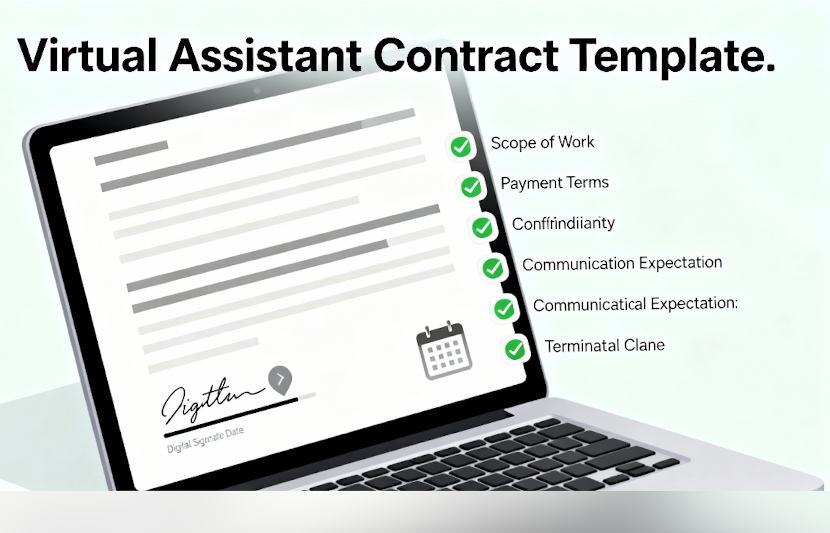
A virtual assistant contract template establishes clear expectations and legal protection for both VAs and clients from day one. This essential document outlines project scope, payment terms, confidentiality agreements, and termination conditions to prevent disputes and build professional relationships. Whether you’re launching your VA career or scaling your freelance business, a solid contract template protects your time, secures your income, and sets professional boundaries that clients respect. Protect your VA business with a contract template that covers all your bases. From payment schedules to confidentiality clauses, this is the foundation every professional relationship deserves. Essential Components of a Strong Contract Template The right virtual assistant contract template includes critical protections that safeguard your business. Here’s what separates amateur agreements from professional contracts: Ready to explore professional VA support? Check out our virtual assistant services for businesses and entrepreneurs to see how we structure client relationships. Why Contract Templates Save Time and Money Using a virtual assistant contract template streamlines your onboarding process and protects your bottom line. Here’s the business impact: For instance, VAs using standardized contracts report collecting payment 23% faster than those negotiating terms case-by-case. The template approach means you can customize specific project details in minutes while keeping core legal protections consistent across all client relationships. Looking to understand when you need VA support? Read our guide on when to hire a virtual assistant for timing insights. Customizing Your Template for Different Projects A flexible virtual assistant contract template adapts to various client needs while maintaining legal protection. Here’s how to customize effectively: Smart VAs maintain 2-3 template versions: one for ongoing retainers, one for project work, and one for specialized services. This approach cuts customization time to 15-20 minutes per new client while ensuring every agreement matches the work arrangement. Explore our service pricing and packages at VA4Growth to see how we structure different engagement types. Where to Source Reliable Contract Templates Finding the right virtual assistant contract template means balancing cost, customization, and legal soundness: Free Resources: Sites like LegalZoom, Rocket Lawyer, and SCORE offer basic templates suitable for simple VA arrangements. These work for straightforward admin or data entry projects with minimal liability. Paid Professional Templates: Invest $50-150 in templates from The Contract Shop, Honeybook, or Dubsado that include lawyer-drafted language for specific industries and service types. Custom Legal Review: Budget $300-600 for an attorney to review any template before first use, ensuring it complies with your state laws and covers your specific service risks. Pro tip: After legal review, save your finalized template in Google Docs or Notion with fillable fields highlighted. This system lets you complete new contracts in under 10 minutes while maintaining consistency across all client agreements. Need specialized support? Learn about customer support virtual assistant services and contract considerations. Making Your Contract Work for You A contract template only protects your business when you actually use it consistently. Here’s what makes the difference: Start every client relationship with a signed agreement before delivering any work – even for “quick projects” or referrals. This boundary prevents payment disputes and scope creep from day one. Include a clause requiring 50% upfront payment for new clients, which filters out problematic prospects while funding your initial project investment. Store signed contracts in cloud-based systems like Dropbox or Google Drive with automatic backups. Create a simple spreadsheet tracking contract start dates, renewal dates, and key terms for each client. This organization system takes 5 minutes to maintain but saves hours when you need to reference payment terms or scope details during client discussions. Consider adding a discovery call requirement to your onboarding where you review contract terms with clients before signing. This 15-minute conversation prevents misunderstandings and demonstrates professionalism that justifies premium rates. Want to discuss your VA needs? Contact VA4Growth team today to explore how we can support your business growth. Frequently Asked Questions What should be included in a virtual assistant contract template? A comprehensive virtual assistant contract template should include scope of work, payment terms and schedules, confidentiality clauses, intellectual property rights, termination conditions, dispute resolution procedures, and liability limitations. Key details like hourly rates or project fees, payment due dates, revision limits, and notice periods for ending the relationship must be explicitly stated to prevent misunderstandings. Why do freelancers need a virtual assistant contract template before starting a project? Freelancers need a contract template before starting work to establish legal protection, ensure payment, define project boundaries, and maintain professional credibility. Without a signed agreement, VAs have limited recourse for payment disputes, scope creep, or confidentiality breaches. Contracts also clarify expectations upfront, reducing conflicts and building trust with clients from the first interaction. How do I customize a virtual assistant contract template for different clients? Customize your template by adjusting scope of work sections, modifying payment structures for hourly versus project-based work, adding industry-specific confidentiality terms, and tailoring termination clauses to project length. Keep core legal protections consistent while changing client names, deliverables, rates, and timelines. Maintain 2-3 base templates for different service types to minimize customization time per client. Is a virtual assistant contract template legally binding? Yes, a properly executed virtual assistant contract template is legally binding when both parties sign it, exchange something of value, and have legal capacity to enter agreements. The contract must include clear terms, mutual consent, and lawful purpose. However, templates should be reviewed by a lawyer in your jurisdiction to ensure enforceability and compliance with local contract laws before use. Where can virtual assistants find a free or affordable contract template online? Virtual assistants can find free templates on LegalZoom, Rocket Lawyer, SCORE, and Freelancers Union websites. Affordable paid options ($50-150) are available from The Contract Shop, Honeybook, and Dubsado with more comprehensive legal language. Always have any template reviewed by a local attorney before use to ensure it covers your specific services and complies with state laws. What are the most important clauses to add to a virtual assistant contract template? The most critical clauses are scope of work with specific
Red Flags When Hiring a Virtual Assistant (And How to Avoid Them)

Hiring a virtual assistant can transform your business productivity, but choosing the wrong candidate leads to missed deadlines, poor communication, and wasted resources. Recognizing red flags early protects your time, budget, and business operations while ensuring you partner with skilled professionals who deliver results. Whether you’re scaling operations or delegating routine tasks, understanding these warning signs helps you make confident hiring decisions. Avoid common pitfalls and build a partnership that drives real growth. Communication Issues Signal Trouble Ahead How a virtual assistant communicates during the hiring process reveals how they’ll perform on the job. Watch for these warning signs: Strong communication forms the foundation of remote work success. If you’re experiencing communication red flags early, it won’t improve after hiring. Need help determining the right time to bring on support? Check out our guide on when to hire a virtual assistant for strategic timing insights. Unrealistic Promises and Pricing Be cautious when virtual assistants make claims that sound too good to be true: Quality virtual assistants understand their expertise areas and price their services accordingly. Browse our service pricing and packages at VA4Growth to see what transparent, professional VA support looks like. Missing Professional Standards Professional virtual assistants maintain business practices that protect both parties: For specialized needs like content creation, understanding professional standards becomes even more critical. Learn more in our article about how to hire a content writer to see what professionalism looks like. Avoiding Red Flags With Smart Vetting Protect your business by implementing a thorough screening process. Start with detailed job descriptions that specify required skills, tools, and expected deliverables. This clarity attracts qualified candidates while filtering out poor fits. Conduct skill assessments with practical tests. For administrative tasks, request a sample email response to a customer inquiry. For social media management, ask candidates to create three post ideas for your industry. Real-world tests reveal actual capabilities beyond resume claims. Check references thoroughly. Contact at least two previous clients and ask specific questions about reliability, communication style, and quality of work. Generic references or reluctance to provide contacts should raise immediate concerns. Consider starting with a paid trial period for 10-20 hours before committing to monthly contracts. This limited engagement lets you evaluate performance, communication, and culture fit with minimal risk. Want comprehensive support without the guesswork? Explore VA4Growth service offerings to see how pre-vetted professionals eliminate hiring risks. Hiring the Perfect Fit with VA4Growth Once you’ve avoided red flags when hiring a virtual assistant and found a strong candidate, focus on setting up sustainable collaboration. Establish clear expectations around response times, typically within 24 hours for standard requests. Define your preferred communication channels whether that’s email, Slack, or project management platforms. Create detailed standard operating procedures for recurring tasks. Document your processes with screenshots, video walkthroughs, or written steps that remove ambiguity. This investment pays dividends through consistent output and reduced supervision needs. Schedule regular check-ins, even brief 15-minute weekly calls, to maintain alignment and address small issues before they escalate. Strong virtual assistant partnerships thrive on proactive communication and mutual respect. For broader business growth strategies that complement your VA support, explore our insights on digital marketing for small business to maximize your team’s impact. Ready to skip the vetting headaches entirely? Contact VA4Growth team today to connect with pre-screened professionals who meet rigorous quality standards and deliver results from day one. FAQs How do I know if a virtual assistant job is legit? Legitimate virtual assistant opportunities include clear job descriptions, realistic pay rates ($15-50/hour depending on expertise), professional communication, and verifiable company information. Red flags include upfront payment requests, vague job duties, promises of unrealistic earnings, or pressure to decide immediately. Research the company through LinkedIn, Google reviews, and Better Business Bureau before committing. What is a red flag when doing virtual interviews? Major red flags during virtual interviews include candidates appearing distracted or unprepared, inability to answer basic questions about their experience, no questions about your business needs, or pushy behavior about starting immediately. Technical issues happen, but consistent audio problems or unprofessional backgrounds suggest lack of remote work readiness. Trust your instincts if something feels off. What to know before hiring a virtual assistant? Before hiring, clarify which tasks you’ll delegate, your budget range, required working hours, and must-have skills versus nice-to-haves. Understand the difference between independent contractors and employees for legal compliance. Prepare onboarding materials, choose communication tools, and establish success metrics. Having these foundations ready ensures smooth integration and clear expectations from day one. What are the risks of virtual assistant? Key risks include data security breaches if proper safeguards aren’t implemented, inconsistent work quality without clear processes, time zone challenges affecting real-time collaboration, and potential intellectual property concerns. Mitigate these through non-disclosure agreements, secure password management tools like LastPass, detailed task documentation, and careful vetting. Working with established VA agencies often reduces these risks through their screening processes. What are common scammer phrases? Watch for phrases like “pay a small fee to get started,” “guaranteed income with no experience,” “act now or lose this opportunity,” or “wire money through Western Union.” Scammers often use urgency tactics, request payment before work begins, or promise earnings that sound unrealistic. Legitimate opportunities never require upfront payments from workers or use high-pressure sales language. How do I find a reliable VA? Find reliable virtual assistants through reputable platforms like Upwork, specialized VA agencies, professional referrals from your business network, or LinkedIn connections with verified work histories. Review portfolios, check multiple references, start with small test projects, and verify skills through practical assessments. Consider agencies that handle vetting, which eliminates much of the screening burden. VA4Growth offers pre-screened professionals who meet rigorous quality standards, saving you time and reducing hiring risks.
Customer Support Virtual Assistant: Everything You Need to Know Before Hiring

A customer support virtual assistant is a remote professional who manages your customer service operations, from answering questions to resolving complaints and handling multiple communication channels. These skilled assistants work independently to deliver timely, professional support that keeps your customers happy while you focus on growing your business. If you’re struggling to keep up with customer emails, missing inquiries after hours, or spending too much time on support instead of strategy, you’re not alone. Many business owners find themselves in this exact position, which is why customer support virtual assistants have become an essential solution for companies looking to scale without breaking the bank. In this guide, we’ll walk you through exactly what a customer support virtual assistant does, how they can transform your customer experience, and what you need to know before bringing one onto your team. Ready to elevate your customer service? Explore our services and discover how VA4Growth can match you with the perfect support assistant. What Exactly Does a Customer Support Virtual Assistant Do? A customer support virtual assistant becomes the voice of your business, managing customer interactions and keeping your support system running smoothly. Their day starts with checking every communication channel. They respond to overnight emails, website chat messages, and social media comments so customers get quick answers the moment they reach out. Managing Real-Time Customer Inquiries Throughout the day, they handle ongoing questions about product availability, order tracking, refunds, returns, and billing concerns. They follow your processes to resolve issues and escalate only when something needs your direct attention. Communication Channels They Cover Email is often the busiest channel, and your assistant sorts messages by urgency and writes replies that match your brand voice. In live chat, they juggle multiple conversations at once, helping customers choose products or troubleshoot problems. On social media, they manage public and private messages to maintain a positive customer experience. Some assistants also take phone calls using VoIP when needed. Behind-the-Scenes Support Work They improve your support system by creating templates, updating FAQs, and documenting solutions. They prepare weekly reports, track metrics, and send proactive follow-ups or reminders to keep customers informed and engaged. Wondering if now’s the right time to expand your team? Read our guide on when to hire a virtual assistant to make an informed decision. Why Your Business Needs a Customer Support Virtual Assistant You might be handling customer service yourself right now, or maybe you have a small team that’s stretched too thin. Either way, there are clear signs that a customer support virtual assistant could transform your business operations. The Real Cost Savings Hiring a full-time customer service rep in the U.S. can cost $50,000–$65,000 a year once you include salary, benefits, taxes, equipment, and office space. A customer support virtual assistant working 40 hours per week at $20–$25 per hour costs about $40,000–$50,000 annually with no extra overhead. That’s an immediate savings of $10,000–$25,000 per role. You also avoid hidden expenses like sick leave, vacation pay, health insurance, rented space, or new equipment. These invisible costs add up quickly, giving you even more long-term savings. Extended Coverage Hours A major advantage of hiring a virtual assistant is expanded coverage without overtime. With someone in a different time zone, you can offer live chat and email support from early morning to late evening. Weekend availability also becomes affordable. This extended coverage improves response times. Messages that used to wait overnight now get replies within hours, leading to happier customers, fewer complaints, and stronger reviews. At VA4Growth, we match you with assistants whose schedules align with your ideal support hours. Focus and Growth You Get Back Delegating customer support gives you back valuable time. Instead of answering emails all day, you can focus on strategy, product development, marketing, or sales. With fewer interruptions and more room for deep work, your business grows faster and your stress levels drop. Learn how virtual assistants handle complex scheduling in our article about calendar management and other administrative tasks. How to Know If You’re Ready for a Customer Support Virtual Assistant Not every business needs a customer support virtual assistant right now, but several clear signs indicate you’re at the point where hiring one makes perfect sense. Clear Signs You’re Ready You’re ready to hire a customer support virtual assistant when customer service starts consuming more than ten hours a week. If your response times are slipping and customers wait 24–48 hours for replies, you’ve already reached your limit. Missed messages on Instagram, Facebook, or live chat are another strong sign you’re losing sales without realizing it. Businesses that operate outside standard hours also need extended coverage you can’t manage alone. And if you’re turning down partnerships or growth opportunities because you’re overwhelmed with support tasks, it’s time to delegate. What You Need Before Hiring Before bringing someone on, have simple documented processes. Even basic notes on returns, refunds, or how you want difficult customers handled will help your assistant get up to speed faster. Your tools should already support remote work. Helpdesks, CRMs, and communication platforms need to be cloud-based with proper permissions. You also need to be ready to let go of full control. A trained customer support virtual assistant can handle most situations just as well as you can, often with more consistency since they aren’t emotionally tied to every decision. Discover the full range of tasks virtual assistants can handle by reading about what a virtual administrative assistant does. Your Step-by-Step Guide to Hiring the Right Customer Support Virtual Assistant Finding and hiring the right customer support virtual assistant doesn’t have to be overwhelming. Follow this proven process to find someone who fits your needs. Define Your Exact Needs Start by tracking your support volume for one week. Count every email, chat, call, and social media message you handle. Note the time stamps too, knowing when inquiries come in helps determine coverage hours needed. List the specific tasks you want your assistant to handle: email responses, live chat coverage, social media monitoring,
What Is an Email Marketing Specialist and What Do They Do?

What is an email marketing specialist? An email marketing specialist is a professional who creates, manages, and optimizes email campaigns to engage audiences, nurture leads, and drive conversions for businesses. These professionals combine technical skills with creative strategy to build automated workflows, segment audiences, and analyze campaign performance. Whether you’re a small business owner considering hiring one or someone interested in this career path, understanding what email marketing specialists do can help you make informed decisions about your marketing strategy. In this guide, we’ll break down the role of an email marketing specialist, the skills they need, and why they’re essential for modern business growth. Need expert help with your email campaigns? Explore our digital marketing services to boost your business results. What Is an Email Marketing Specialist An email marketing specialist is a marketing professional focused entirely on email as a communication and sales channel. They design campaigns that speak directly to subscribers, turning casual readers into loyal customers. Unlike general marketers, these specialists dive deep into email platforms, automation tools, and analytics. They understand deliverability, open rates, and click-through rates better than most. Core Responsibilities and Daily Tasks Email marketing specialists play a key role in delivering campaigns that connect with the right audience at the right time. They manage both the creative and technical sides of email marketing to keep every message effective and strategic. Key Responsibilities of an Email Marketing Specialist List Management Email Design Campaign Scheduling Performance Tracking How Email Marketing Specialists Drive Business Growth Email marketing specialists grow revenue by guiding leads, recovering abandoned carts, and re-engaging inactive subscribers. They build trust with welcome emails, spark interest with product launches, and strengthen loyalty through consistent offers and newsletters. Their targeted campaigns drive sales, revive inactive audiences, and keep customers returning, which makes retention far more cost-efficient than always finding new buyers. Difference Between Email Marketing Specialists and General Marketers While general marketers spread their attention across multiple channels, email marketing specialists focus exclusively on mastering email. This specialization makes them experts in a single, highly effective channel. General marketers might run social media, content marketing, and paid ads alongside email. Email specialists dedicate all their energy to understanding subscriber behavior, testing subject lines, and optimizing send times. Technical knowledge sets specialists apart. They understand email authentication protocols like SPF, DKIM, and DMARC. They know how to avoid spam filters and maintain sender reputation. Data analysis goes deeper with specialists. They don’t just look at open rates but analyze cohort behavior, lifetime value by segment, and attribution across customer touchpoints. Campaign complexity differs too. Specialists build sophisticated automation workflows with multiple branches based on subscriber actions. General marketers typically manage simpler email sequences. Looking to delegate your marketing tasks effectively? Check out our guide on how to delegate project management for better results. Skills and Qualifications of Email Marketing Specialists Email marketing specialists need a unique blend of technical abilities, creative thinking, and analytical skills. Success in this role requires both hard and soft skills that work together. Technical Skills and Tools Mastery Email marketing specialists need strong skills in platforms like Klaviyo, Mailchimp, HubSpot, or ActiveCampaign. Basic HTML and CSS help customize templates and fix layout issues. They set up automated workflows with triggers and logic, connect CRMs for accurate data syncing, and use analytics tools to track behavior and measure ROI. A/B testing is also essential for improving subject lines, content, and send times. Creative and Strategic Thinking Email specialists need strong copywriting to write concise subject lines, clear content, and effective CTAs. Storytelling helps them create messages that connect emotionally. When campaigns underperform, they troubleshoot issues with strategy, messaging, or timing. Education and Certification Requirements Formal education requirements vary, but most email marketing specialists have at least a bachelor’s degree. Marketing, communications, business, or English degrees provide relevant foundations. However, specific degrees matter less than demonstrated skills. Many successful specialists come from unrelated fields and learn through online courses, certifications, and hands-on experience. Industry certifications add credibility and knowledge. Popular options include: Platform certifications like Klaviyo or Salesforce Marketing Cloud help prove expertise, but ongoing learning matters more because email trends and regulations change fast. A strong portfolio of real results and successful campaigns often carries more weight than formal credentials. Email Marketing Specialist Salary and Career Path Understanding compensation and career progression helps both job seekers and employers make informed decisions. Email marketing specialist roles offer competitive pay and clear advancement opportunities. Average Salary Ranges by Experience Level Entry-level email marketing specialists typically earn between $40,000 and $55,000 annually in the United States. These positions require 0-2 years of experience and often involve executing campaigns under senior guidance. Mid-level specialists with 3-5 years of experience command $55,000 to $75,000 per year. They manage campaigns independently, oversee automation strategies, and contribute to overall marketing planning. Senior email marketing specialists earn $75,000 to $95,000 annually. With 6+ years of experience, they lead email strategy, manage junior team members, and directly impact revenue goals. Email marketing managers reach $85,000 to $120,000 depending on company size and location. These leadership roles involve team management, budget oversight, and cross-functional collaboration. Experience Level Years of Experience Annual Salary Range Responsibilities Entry-Level 0-2 years $40,000 – $55,000 Campaign execution, list management, basic reporting Mid-Level 3-5 years $55,000 – $75,000 Independent campaign management, automation setup, strategy contribution Senior Specialist 6+ years $75,000 – $95,000 Strategic planning, team mentorship, revenue optimization Manager 8+ years $85,000 – $120,000 Team leadership, budget management, cross-functional coordination Location significantly affects compensation. Specialists in major tech hubs like San Francisco, New York, or Seattle earn 20-40% more than those in smaller markets. Company size matters too. Enterprise organizations with large subscriber bases typically pay more than startups or small businesses. However, smaller companies might offer equity or broader responsibilities. Ready to build your marketing team? View our pricing options for virtual assistant services tailored to your needs. Career Growth and Advancement Opportunities Email marketing specialists can advance through several career paths. The most direct
What Is a Virtual Office Manager and How Can They Help Your Business?

Ever wondered what a virtual office manager is and why so many growing businesses are turning to them? In simple terms, they handle daily operations, streamline communication, and ensure your company runs smoothly, without ever being in the same room. A virtual office manager from VA4 Growth acts as your behind-the-scenes operations expert, coordinating teams, organizing workflows, and ensuring nothing slips through the cracks. They bring structure to your business processes, allowing you to focus on what matters most, growth and strategy. Whether you’re a solopreneur juggling multiple projects or a startup scaling fast, VA4 Growth provides skilled virtual office managers who understand modern tools and remote collaboration. They help boost productivity, maintain accountability, and build systems that save time and money. In this guide, we’ll explain what they do, how they work, and why hiring one through VA4 Growth can completely transform the way you operate. What Is a Virtual Office Manager? A virtual office manager is a professional who remotely oversees the administrative, operational, and communication aspects of your business. They function much like a traditional office manager but leverage online tools to handle everything efficiently from a distance. They can coordinate schedules, supervise team workflows, organize files, handle client communication, and even manage other virtual assistants. This role is especially valuable for online businesses, digital agencies, and small companies expanding without office overhead. The main purpose of a virtual office manager is to ensure that day-to-day operations run efficiently. They bridge the gap between management and staff, taking care of routine processes so business owners can focus on strategy and growth. Their tasks can include: Unlike traditional office managers who work onsite, VA4 Growth’s virtual office managers bring flexibility, cost savings, and access to specialized digital skills. Why Hire a Virtual Office Manager? Running a business often means juggling dozens of tasks at once, emails, scheduling, reporting, and client updates. A virtual office manager takes that load off your plate, keeping everything organized and on time. Here’s why this role is quickly becoming essential in modern operations. Efficiency and Focus By delegating administrative and operational responsibilities, business owners can redirect focus to strategic planning and growth. A skilled VA4 Growth virtual office manager eliminates time-wasting bottlenecks and ensures teams stay aligned. 💡 Example: A marketing agency that outsourced to a VA4 Growth manager reduced internal meeting times by 40% and improved task delivery rates within the first month. Cost-Effectiveness Hiring an in-house office manager can be expensive, especially with office space, equipment, and benefits. A virtual office manager from VA4 Growth provides the same management expertise but with reduced costs and flexible working arrangements. 📌 Tip: You can customize your virtual management package based on your workload and business size. See our Pricing Plans to explore flexible options. Scalability As your company grows, your management needs evolve. A virtual office manager from VA4 Growth scales with you, whether that means managing new hires, coordinating departments, or tracking project timelines. They adapt quickly to digital ecosystems and can integrate with platforms you already use. How a Virtual Office Manager Works A VA4 Growth virtual office manager typically uses cloud-based tools and automation platforms to coordinate teams and processes remotely. Communication and Coordination They maintain daily communication through tools like Slack, Zoom, and Asana, ensuring all departments stay aligned. Clear communication reduces errors and miscommunication between clients, staff, and management. Task Management and Supervision A virtual office manager monitors deliverables, deadlines, and performance indicators. They create accountability systems, track milestones, and send regular reports to business owners. Tool Purpose Common Platforms Project Management Task tracking Trello, ClickUp, Asana Communication Internal messaging Slack, Teams, Zoom Document Storage Secure file sharing Google Drive, Notion They also implement systems for client management and reporting, ensuring every aspect of your operations runs smoothly. Want to know what types of tasks virtual assistants handle? Read our detailed blog on What Are Virtual Assistant Jobs? Which Businesses Benefit Most from a Virtual Office Manager? Almost any business can benefit, but especially those that rely on remote or hybrid work structures. Industries that gain the most: Small Businesses and Startups For small businesses, a virtual office manager from VA4 Growth can act as an all-in-one operations partner. They oversee admin duties, manage client communication, and keep tasks organized without increasing payroll or overhead. Medium and Growing Enterprises Companies that are scaling quickly often face workflow chaos. A VA4 Growth virtual office manager streamlines onboarding, documentation, and reporting, ensuring smooth transitions as your team expands. 💼 For a closer look at what services you can delegate, visit our Virtual Assistant Services Overview. Why a Virtual Office Manager Is Better Than Going Without One Without an office manager, virtual or not, business owners often find themselves buried under repetitive admin work. This can lead to missed deadlines, communication breakdowns, and lower productivity. A virtual office manager from VA4 Growth introduces structure, consistency, and measurable progress. Key Benefits at a Glance Benefit Impact Time Savings Owners gain 15–20 extra hours weekly for strategy Cost Efficiency No office rent, utilities, or HR overhead Improved Communication Real-time updates and progress tracking Consistency SOP-driven workflows reduce confusion Accountability Clear KPIs ensure tasks are always on schedule How to Hire the Right Virtual Office Manager Choosing the right person (or team) is essential for success. The best virtual office managers combine administrative expertise with strong digital fluency. Step-by-Step Guide Assess Your Business Needs Determine which areas need management, communication, scheduling, reporting, or people coordination. Review Experience and ToolsLook for professionals familiar with project management software and business communication platforms. Set Clear ExpectationsDefine working hours, reporting frequency, and communication channels before onboarding. Start with a Trial PeriodTest collaboration with a short-term project to ensure alignment with your workflow and company culture. How a Virtual Office Manager Integrates with Existing Systems One of the biggest advantages of hiring a virtual office manager from VA4 Growth is their ability to integrate effortlessly with your existing systems. Instead of disrupting your current setup, we enhance and